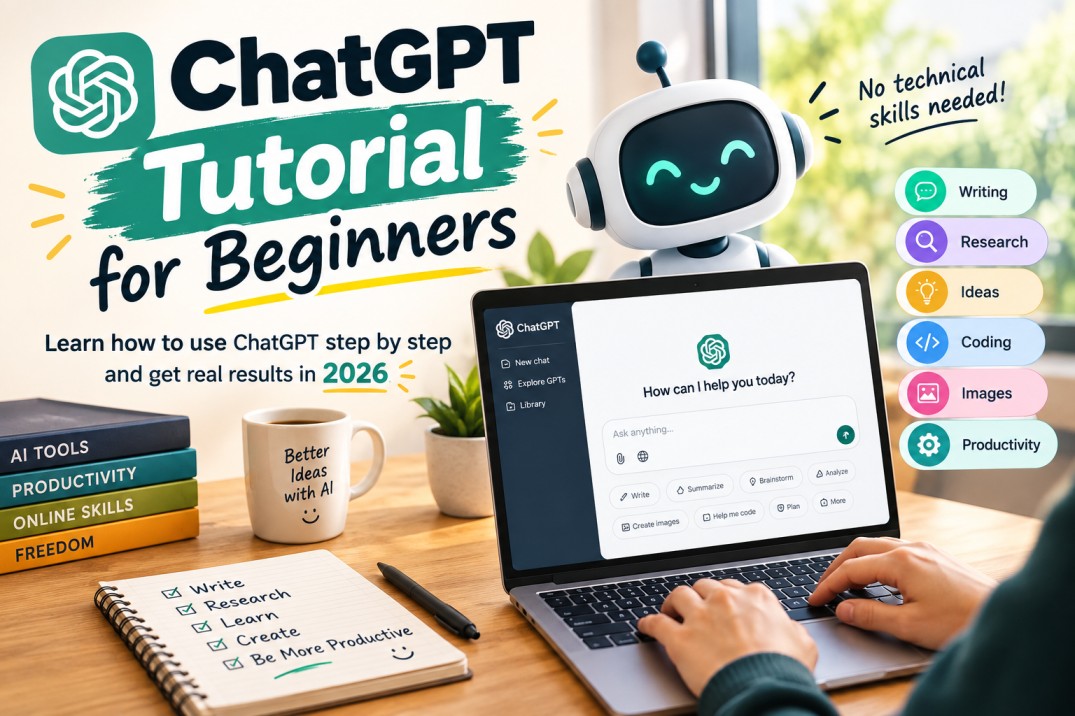
If you have never used ChatGPT before, the first conversation can feel almost too simple. “ChatGPT Tutorial for Beginners: How to Use ChatGPT in 2026”
You type something.
It answers.
Then you start wondering:
“Okay… but what else can I actually do with this?”
Quite a lot.
ChatGPT can help with writing, brainstorming, research, learning, coding, document analysis, data analysis, images and many other tasks. Its available capabilities vary depending on your plan and settings.
This ChatGPT tutorial for beginners will take you from your first prompt to more advanced everyday uses.
What Is ChatGPT?
ChatGPT is an AI assistant that understands natural-language instructions and generates responses based on your conversation.
You don’t need to learn a special programming language to use it.
You simply tell it what you want.
For example:
“Explain inflation in simple English.”
But you can get much better results by providing more context.
How to Write Your First ChatGPT Prompt
A prompt is simply the instruction you give to ChatGPT.
A weak prompt:
“Write about United States.”
A better prompt:
“Write a 700-word beginner-friendly article about tourism in United States. Use simple English, include five major attractions and explain why each is worth visiting.”
The second instruction tells ChatGPT:
- Topic
- Length
- Audience
- Style
- Structure
That usually produces a more useful starting point.
10 Things You Can Ask ChatGPT to Do
1. Explain something
“Explain blockchain as if I’m 15 years old.”
2. Rewrite something
“Rewrite this email to sound professional but friendly.”
3. Summarize something
“Summarize this report into five key points.”
4. Brainstorm
“Give me 30 blog ideas about personal finance.”
5. Learn
“Teach me Excel from beginner to intermediate in 14 days.”
6. Practice
“Act as an English interviewer and ask me one question at a time.”
7. Analyze
“Analyze these survey results and identify the three most important findings.”
8. Create
“Create a 10-slide presentation about climate change.”
9. Code
“Explain why this Python code is producing an error.”
10. Improve
“Here is my article. Identify weak sections and suggest improvements.”
How to Get Better Answers
The biggest beginner mistake is giving ChatGPT vague instructions.
Compare:
“Write a post.”
with:
“Write a 1,200-word blog post for beginners about saving money. Use simple English, include practical examples, avoid exaggerated claims, and finish with five actionable tips.”
The second prompt gives the AI something to work with.
Use ChatGPT as a Teacher
One of my favorite uses of ChatGPT is learning.
Instead of asking for the answer immediately, ask it to teach you.
Try:
“Teach me this topic step by step. Don’t give me the final answer immediately. Ask me questions to check whether I understand.”
This changes the interaction from answer machine to personal tutor.
Use ChatGPT for Research
ChatGPT can help organize research, explain concepts, summarize material and, where available, search the web or conduct deeper research.
But don’t blindly trust every factual statement.
For important research:
- Ask AI for an explanation.
- Ask for sources.
- Open the original sources.
- Verify important claims.
Uploading Files
ChatGPT can work with supported files such as PDFs, presentations and text documents. It can summarize information, extract details and answer questions about the contents.
Instead of:
“Read this.”
Try:
“Read this report and identify its objectives, methodology, major findings, limitations and recommendations. Present the result in a table.”
The second prompt tells the AI exactly what you want extracted.
Using ChatGPT for Data
ChatGPT can also work with structured data such as spreadsheets and CSV files and can analyze and visualize data where the relevant functionality is available.
You might ask:
“Analyze this dataset and identify the three strongest trends.”
Then follow up:
“Turn those findings into a simple chart.”
Using ChatGPT for Images
ChatGPT can also generate and edit images through natural-language instructions, depending on available features.
A useful image prompt includes:
- Subject
- Setting
- Style
- Composition
- Lighting
- Aspect ratio
For example:
“Create a cinematic photograph of a young entrepreneur working late at night in a small home office, warm desk lamp, rain outside the window, realistic photography.”
Learn more in Best AI Image Generators Guide.
Five ChatGPT Mistakes Beginners Make
1. Asking vague questions
Give context.
2. Believing everything
AI can make mistakes.
3. Copying everything directly
Edit and personalize the output.
4. Using AI without checking sources
Especially for academic, legal, financial or professional information.
5. Trying to make one prompt do everything
Break complicated tasks into smaller steps.
A Simple ChatGPT Workflow
Try this:
Step 1: Tell ChatGPT what you want.
Step 2: Give context.
Step 3: Ask for a first version.
Step 4: Critique it.
Step 5: Ask ChatGPT to improve it.
Step 6: Check the final result yourself.
This is much more effective than expecting one magical prompt to produce perfection.
20 Useful ChatGPT Prompts
- “Explain this like I’m a complete beginner.”
- “Give me three different approaches.”
- “Find weaknesses in this argument.”
- “Make this more concise.”
- “Make this sound more natural.”
- “Give me an example.”
- “Turn this into a table.”
- “Create a checklist.”
- “Ask me questions one at a time.”
- “Challenge my assumptions.”
- “Compare these two options.”
- “Give me the pros and cons.”
- “Find possible mistakes.”
- “Rewrite this for beginners.”
- “Give me a step-by-step plan.”
- “Suggest what I may have missed.”
- “Explain the technical version and then the simple version.”
- “Give me three alternatives.”
- “Act as a critical editor.”
- “What questions should I be asking?”
For a much larger collection, visit our Useful AI Prompts.
Final Thoughts
ChatGPT becomes much more useful when you stop treating it like Google and start treating it like an assistant.
Don’t simply ask:
“What can you tell me?”
Tell it:
“Here’s what I’m trying to accomplish. Here’s my situation. Help me figure out the best way to do it.”
That’s when the conversation gets interesting.